QuickBooks Online vs Desktop: Which One’s the Better Fit for Your Business in 2026
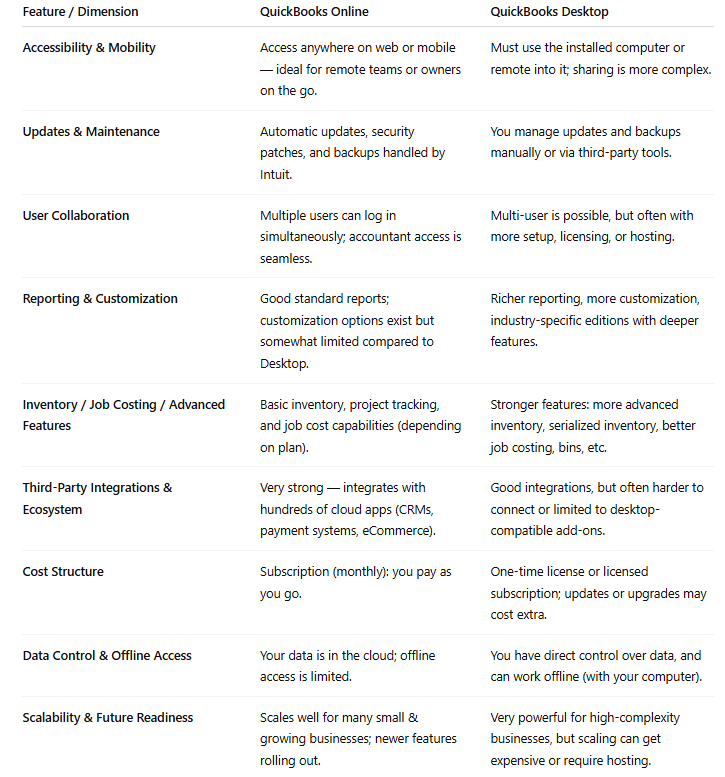
Choosing the right accounting tool can feel like a crossroads — pick wrong, and you pay in wasted time, frustration, or worse, financial errors. QuickBooks offers two major editions: Online (cloud-based) and Desktop (installed locally or hosted). Each has its strengths, trade-offs, and ideal use cases.
In this guide, we’ll walk through what each version delivers, compare them across key dimensions, and help you decide which works best for your business today — and as you grow.
- Call / whatsApp : 7403 623 066
-
From Desktop → Online:
You’ll migrate data (customers, vendors, balances, transactional history). Some feature parity may not carry over (e.g., certain inventory settings or custom reports).
-
From Online → Desktop
Less common, but requires data export and mapping. You may lose some integration conveniences.
These services involve regular categorization of transactions, reconciliation of accounts, and generation of profit-and-loss statements, all conducted within the software's secure environment. For businesses handling 75 to 500 transactions per month, this routine maintenance prevents backlog accumulation, which often overwhelms in-house efforts.
If you don't hire catch-up bookkeeping services, you risk significant tax penalties and fines due to late or inaccurate filings. You'll lose the ability to analyze your true cash flow and profitability, leading to poor business choices. Ultimately, neglecting the backlog means you lose control over your finances, making growth and stability nearly impossible.
QuickBooks Online
QuickBooks Online (QBO) is a web-based accounting platform. You log in through a browser or mobile app, and your data lives in the cloud. That means updates, backups, and access are handled server-side — you don’t have to worry about software patches or losing your file if your hardware fails.
We’ve helped businesses in Maryland, across the U.S., go from confusion to clarity. Whether you're running a retail store in Baltimore, a service business in Montgomery County, or a startup in Annapolis — the right QuickBooks setup plus expert support can save you time, reduce errors, and unlock smarter decisions.
QuickBooks Online tends to be the better choice when:
You (and/or your team) need access from different locations or devices.
You want updates, backups, and maintenance handled automatically.
You prefer a simpler setup, fewer IT demands, and less overhead.
You want your accountant/bookkeeper to jump in easily, without file transfer hassles.
You rely on many cloud tools and want to integrate your accounting with other systems.
QuickBooks Desktop
The Desktop version is installed on a PC (or a hosted server). Your data file sits locally (or in a private cloud), and you control updates and backups. It’s a more “traditional” model. There are multiple Desktop flavors — Pro, Premier, Enterprise — with different features, user limits, and capabilities.
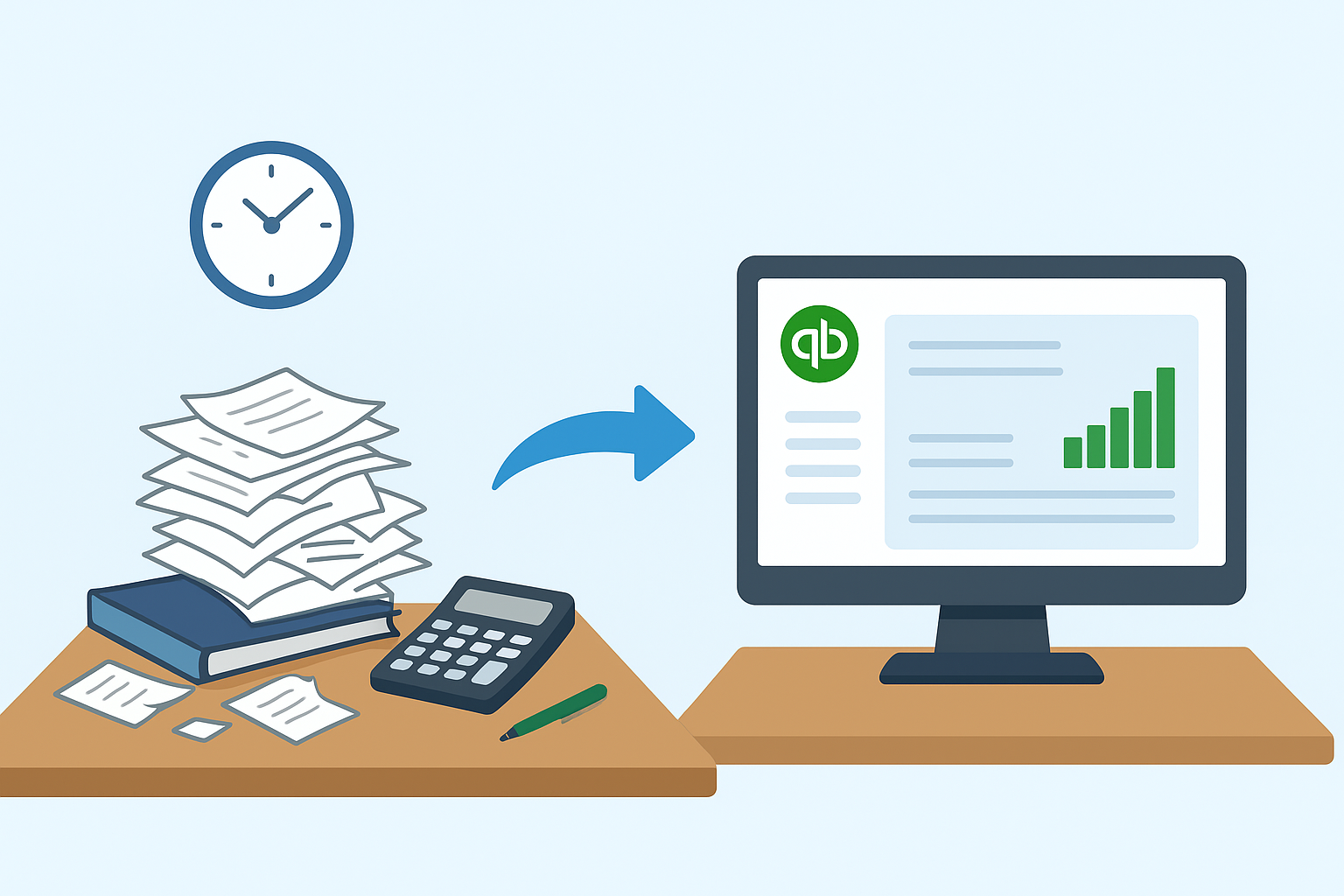
When Desktop Still Holds Its Ground - QuickBooks Desktop might be preferable if:
You have limited or intermittent internet connectivity (offline operation is critical).
Your business is in an industry with specialized requirements supported better in Desktop editions.
You prefer full control of where your data resides, and you’re comfortable handling backups and updates.
You already have complex, entrenched workflows built around Desktop features you can’t easily replace.
Your business is in an industry with specialized requirements supported better in Desktop editions.
The Transition Factor: Changing from One to the Other
Switching between Online and Desktop is possible — but it takes planning.
Hiring a bookkeeper can save you from financial trouble by ensuring accurate and timely record-keeping in QuickBooks. They prevent costly errors and penalties by managing tax compliance, and provide you with clear financial reports so you can make informed decisions, stopping small issues from becoming major crises.
Contact us today for a free consultation and let our remote QuickBooks specialists handle the complexity, so you can focus on what you do best: growing your business across the USA.
Author
Steve QBO
Date
12 - October - 2025
Compare
Online vs Desktop
Location
maryland MD, USA